


 Connect with Google
 Connect with Facebook
The repair of 3D models is improving on sculpteo.com
Posted By sculpteo on Jun 24, 2010 | 0 comments

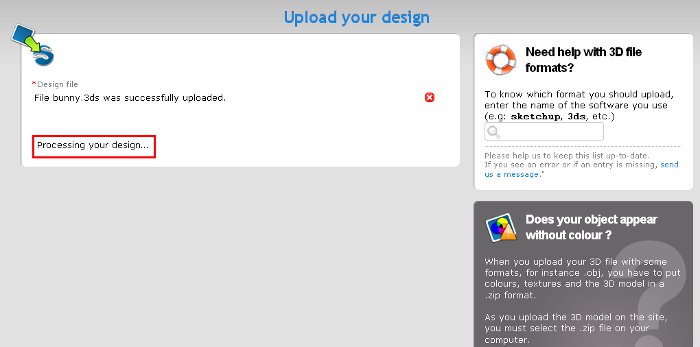
Now, the repair algorithms are playing automatically when you upload your 3D file on sculpteo.com. The message “Processing your design” appears on the screen, and you have to wait a few moments.
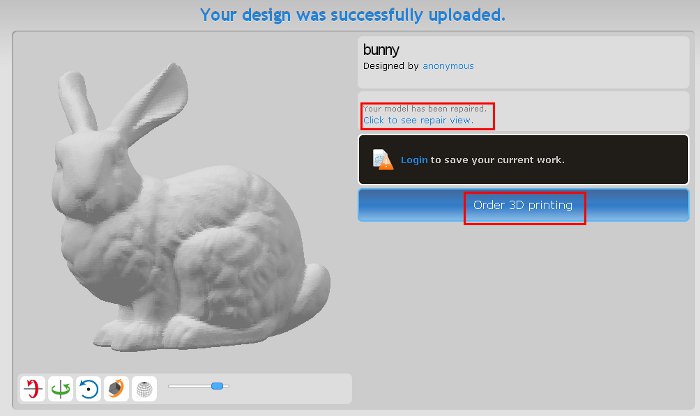
When you model is repaired, you arrive on a page allowing you either to order directly your model, or to see more in details the repairs.
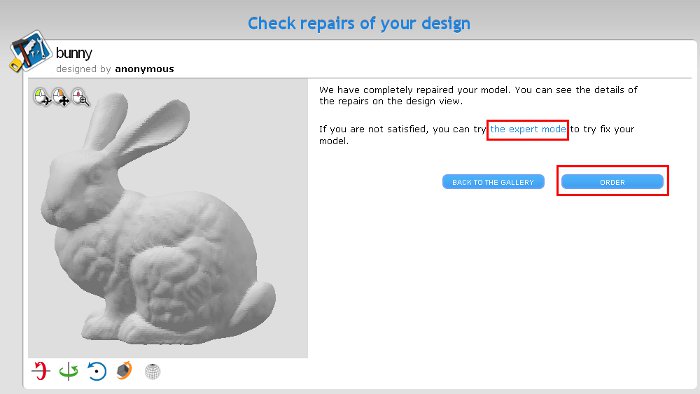
If the repairs are suitable for you, you can order the 3D printing of your model. If not, an expert mode is at your disposal to test different ways to correct it.
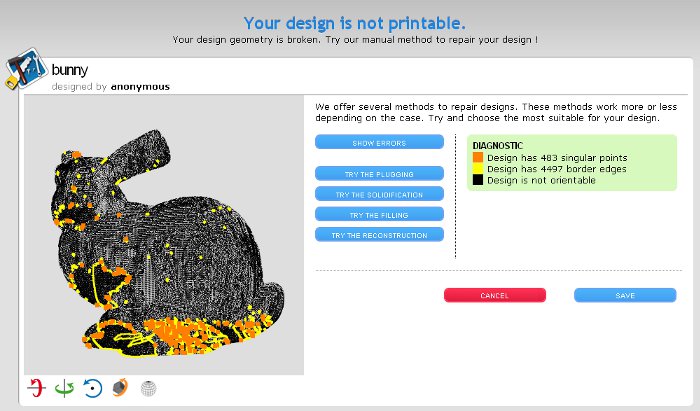
If none of the methods works, you still have the possibility to send us your model by mail.
When you upload a 3D file on sculpteo.com and we can’t repair it automatically, you arrive directly on the expert mode page, to test by yourself the different methods, or to send us your model by mail to be repaired by our team.